From Template to a Real Store: How I Develop a WordPress/WooCommerce Project with Codex
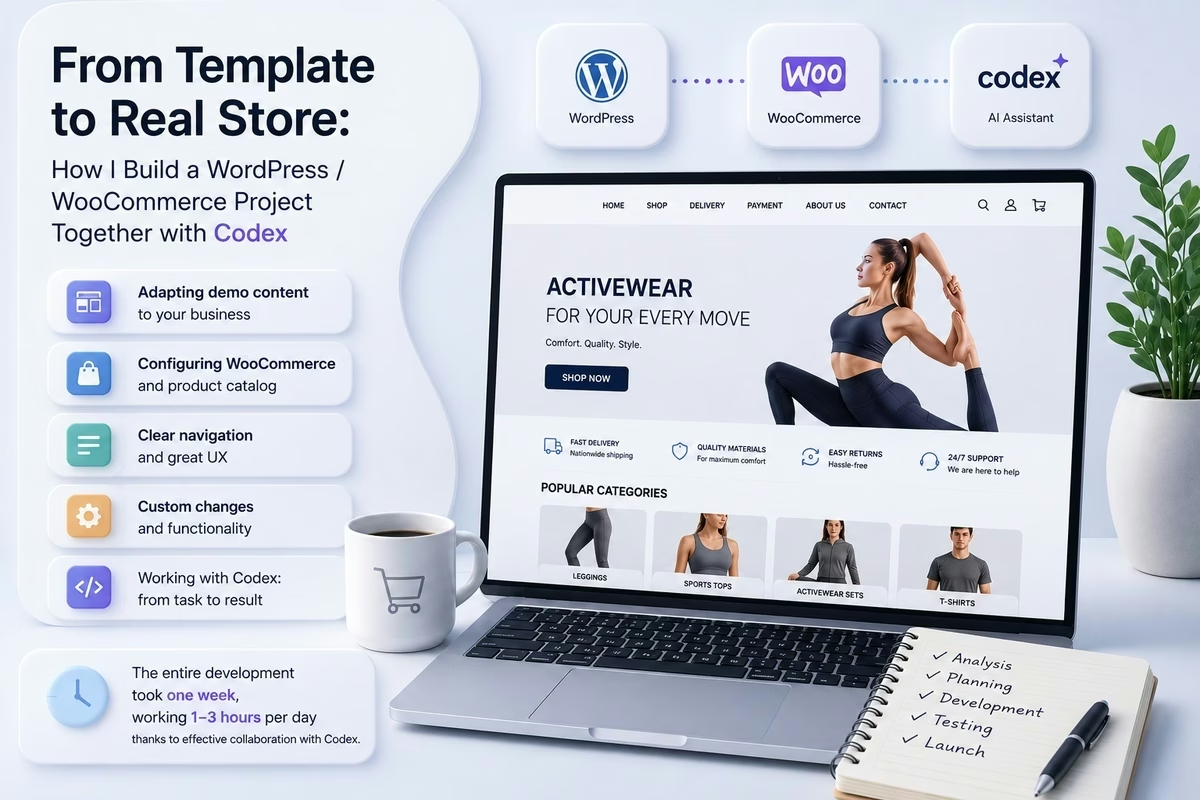
Installing WordPress, activating WooCommerce, and importing the theme’s demo content does not yet mean creating a finished online store. After the initial setup, we obtain only a technical foundation: standard pages, test products, placeholder banners, demo menus, and blocks that showcase the theme’s capabilities. To turn this foundation into a real commercial website, it is necessary to adapt it to the structure of the specific business, populate it with real content, configure the catalog, and modify the default behavior of WordPress wherever it does not meet the project's requirements.
In my case, the project was an online store for women’s sportswear of a client. To develop it, I use WordPress, WooCommerce, the Flatsome theme, and Codex as a technical assistant capable of working not only with individual code snippets but with the entire local project environment.
The key feature of this approach is that I describe tasks primarily in terms of the expected results. I do not need to know in advance which PHP file requires modification, which database field to update, or which WP-CLI command to execute. I describe the business objectives, constraints, and readiness criteria, and Codex analyzes the site’s structure, determines the technical implementation method, applies the changes, and verifies the outcome.
Starting Point: WordPress, WooCommerce, and Flatsome
At the beginning of the work, the site already had WordPress, WooCommerce, and the Flatsome theme installed. Demo content had also been imported — a set of demonstration pages, blocks, menus, and other elements.
Demo content is useful because it allows you to quickly obtain a ready-made structure and see the theme’s possibilities. Instead of creating each section from scratch, you can base it on pre-configured blocks: slider, catalog, banners, contact page, FAQ, tabs, or informational sections.
However, demo content cannot simply remain on the site. It contains third-party names, placeholder texts, test links, and a structure that does not consider the specific store’s needs. Therefore, the next step was inventorying:
- which pages already exist;
- which of them can be adapted;
- which materials need to be deleted or hidden;
- which pages are linked to menus;
- which Flatsome blocks can be reused;
- which standard pages WooCommerce requires;
- where demo content might conflict with future URLs.
This stage is also important because WordPress stores a significant part of the structure not in theme files but in the database. Pages, menus, UX Blocks, theme settings, products, categories, and plugin values can be interrelated. For this reason, careless deletion of one object can sometimes affect multiple parts of the site.
Transforming Demo Content into Real Pages
Instead of completely deleting the demo pages and creating everything from scratch, I decided to use some of them as a foundation. The pages already had usable Flatsome layouts, so they could be turned into pages for the actual store.
As a result, the site acquired:
- "About Our Store";
- "Why Choose Our Store";
- "Size Chart";
- "Clothing Care";
- "Delivery";
- "Payment Methods";
- "Returns and Exchanges";
- "Frequently Asked Questions";
- "Contacts";
- "Privacy Policy";
- "Terms of Purchase".
When performing such a transformation, it is not enough to just change the title in the editor. For each page, you need to check:
- the title;
- the URL, or
slug; - the publication status;
- the content;
- the page template;
- menu links;
- internal links;
- possible conflicts with other pages.
For example, in the demo content, a page with the slug faq might already exist. If you simply assign the same slug to the new page, WordPress will automatically create an address like faq-2. Technically, the page will work, but the URL will look untidy and be suboptimal for SEO.
Therefore, Codex first checked the existing pages and conflicts, and only then changed titles, addresses, and content. In case of a conflict, the demo page was preserved but assigned a different address, and then the intended page was given a clean slug faq.
This is a good example of the difference between a simple command and a business task. I could have formulated the request approximately as follows:
Transform the demo informational pages into pages for a real store. Preserve suitable Flatsome layouts, create clear URLs, do not change service pages of WooCommerce, and ensure no duplicates arise.
After that, Codex had to independently determine which objects could be changed, which should be protected, and how to avoid conflicts.
Building Clear Navigation
The structure of the main menu was a separate task. The theme’s demo menu demonstrates the possibilities of Flatsome well but does not correspond to the logic of a real shopper.
For a store, it’s important that a person can quickly access the catalog, find the desired type of clothing, learn about delivery, payment, returns, or select their size. Therefore, the informational pages were grouped into a separate “Information” section.
During this process, it was crucial not to delete the pages themselves along with the unnecessary menu items. In WordPress, a menu item and a page are different objects, though this connection is not always obvious in the admin panel.
Codex checked menu and page IDs, removed only outdated navigation items, and then placed the necessary pages in the specified order. After execution, the script additionally verified that page content, product categories, and other menus remained unchanged.
This approach illustrates another important advantage of programmatic work with WordPress: changes can be accompanied by automatic boundary checks. The script does not just perform an action; it controls that nothing unintended was changed by accident.
Generating the WooCommerce Catalog
The next major milestone was transforming a standard catalog into a real brand catalog.
In WooCommerce, a product is not just a name, price, and photo. It can include:
- a unique
SKU; - short and full descriptions;
- categories;
- attributes;
- variations;
- sizes;
- stock status;
- featured image;
- gallery;
- tax settings;
- related products.
The online store catalog had separate types of sportswear: leggings, shorts, sports bras, tops, jumpsuits, and ready-made sets. For these products, it was necessary to standardize names, SKUs, categories, descriptions, prices, sizes, and photos.
We paid special attention to variable products. For example, a clothing set had a parent product with individual variations for sizes S, M, and L. Each variation received its own SKU, price, and stock status.
For batch creation of sets, Codex prepared a PHP script working through the API of WooCommerce. Before import, it checked:
- if the required category exists;
- if the size attribute is configured;
- if the S, M, and L terms exist;
- if the
SKUis not already in use; - if all necessary photos exist.
Only after successful verification were products and their variations created. If an error occurred during import, all products created in the current run were deleted. This protected the catalog from partially imported or duplicated entries.
This was a great example of interaction based on business tasks. The request might have sounded like this:
Create a category of ready-made sets. Each set must be a variable product with sizes S, M, and L, its own
SKU, price, description, and corresponding gallery. Before import, check for duplicates and do not leave partially created products in case of errors.
In this formulation, there is no mention of a PHP class name or a specific command. But there is a description of the desired result, data structure, and safety rules.
Working with product images
For a clothing store, photos are one of the main elements of a product page. It was necessary not only to upload images but also to correctly associate them with specific models.
For this purpose, the product SKUs and photo numbers were used. Codex first carried out an audit: it found the product by SKU, checked the presence of all files, and showed how many images were already attached to the product and how many should be after replacement.
Only after this verification was the actual application of changes initiated. The first image became the featured image, and the rest formed the gallery. For the uploaded files, WordPress created attachment records and standard reduced-size copies.
Images for the blog were optimized separately. They were adjusted to a uniform aspect ratio and size of 1600 × 900 pixels, converted to JPEG format, and compressed to an acceptable file size. The script gradually chose quality settings to preserve sufficient detail while not exceeding the established file size limit.
Thus, the optimization was not random compression but a controlled process with specific criteria.
Homepage as a Block System
The store homepage is not just a decorative layout. It must explain the brand positioning, showcase products, and lead the user to purchase.
In Flatsome, pages are often built from special shortcode blocks: sections, rows, columns, banners, and UX Blocks. Therefore, changes can be made either through the UX Builder or programmatically via post_content.
During the work, a collection launch block was added to the homepage. Initially, it contained German and English versions of the text in one layout. After setting up translations, the logic changed: the main German text remained in the content, and the English version was substituted by the localization system.
Codex did not simply insert HTML in an arbitrary place. The script located a specific section-anchor and checked that it appeared exactly once. If the page structure did not match the expected one, the change was not applied. This helped avoid situations where a block might be accidentally added twice or placed in the wrong part of the page.
Multilingualism as More Than Just Text Translation
A multilingual store is much more than translating visible paragraphs. You need to translate:
- product names and descriptions;
- categories;
- pages;
- menu items;
- buttons;
- messages from WooCommerce;
- homepage blocks;
- blog posts;
- metadata;
- individual strings from the theme and plugins.
In the project, the primary language was German, and the secondary was English. Some translations were stored in the WordPress content, while others were kept in the TranslatePress dictionary.
This created interesting technical scenarios. For example, the block text could physically reside in post_content, while its translation was stored in a separate database table. Therefore, simply replacing the text in the page was insufficient: it was also necessary to check and update the corresponding entry in the translation dictionary.
When localizing products, not only the names changed but also the slug, short descriptions, full descriptions, and specifications. The product description was structured material with sections on design, fit, model parameters, composition, and care. Thanks to this, product cards became consistent in style and user-friendly for customers.
The Blog as Part of the Store
The blog in this project is not a separate informational add-on. It performs several functions simultaneously:
- introduces the brand to the audience;
- answers customers' questions;
- helps choose clothing;
- explains care instructions;
- creates additional pages for search engines;
- guides readers to relevant catalog categories.
Articles were prepared about choosing sportswear, its care, body types, legging fit, ready-made outfits, swimwear, and sports fashion trends.
For posts, titles, URLs, main text, excerpts, and images were updated. Separate English and German versions of materials were created. It was important to maintain a uniform structure: logical headings, short paragraphs, helpful recommendations, and natural transitions to store products.
In this case, Codex not only assisted with the technical placement of materials but also helped maintain a consistent format for posts and verify that files corresponded to specific publications.
Configuring WooCommerce for a Real Store
The standard WooCommerce installation creates a foundation for sales but requires customization. You need to check the currency, store address, taxes, shipping, payment methods, order statuses, emails, cart pages, and checkout pages.
It is also important to consider that some settings belong to WooCommerce itself, some to the Flatsome theme, and others might be controlled by third-party plugins. Therefore, the same change sometimes requires working across multiple system layers.
For example, social media links might be stored simultaneously:
- in the theme settings;
- in the child theme;
- in the footer;
- on the contact page;
- in the FAQ responses.
Changing only one value would leave old or test links visible on the site. Therefore, Codex located all related places, updated Instagram, Pinterest, and Facebook, and then cleared the WordPress cache.
This is an example of modifying the system's standard behavior according to business requirements: the task is formulated as “all social media links must lead to the brand's official pages,” rather than “change a specific field in the options table.”
How I Formulate Tasks for Codex
When working, I try to describe the desired outcome, not the method of achievement. A good task for Codex usually contains four components:
- Current situation.
- Expected result.
- Constraints.
- Verification method.
For example:
The site still has demo informational pages from Flatsome. Transform them into pages for a real store while preserving usable layouts. Do not change the cart, checkout, and account pages. Add new pages to the “Information” section in the main menu and check all links.
Or:
For the category of ready-made sets, create variable products with sizes S, M, and L. Use the provided
SKUs, prices, descriptions, and photos. Do not create duplicates. If some data is missing, stop the import and report the issue.
Or:
Replace product photos according to the
SKUlist. Before replacing, verify the presence of all files, preserve the correct gallery order, and after completion, ensure each product has the expected number of images.
Such formulations allow Codex freedom in choosing the technical solution but clearly define the scope of work.
What Codex Does Inside the Project
After receiving the task, Codex can:
- explore the file structure;
- read the configuration;
- locate the necessary templates and scripts;
- analyze the WordPress structure;
- work via
WP-CLI; - use the
APIof WordPress and WooCommerce; - create controlled PHP scripts;
- update posts and metadata;
- work with translation dictionaries;
- optimize images;
- clear cache;
- verify the result;
- create backups before risky changes.
In fact, Codex does not function as a generator of random code snippets that still need to be manually copied into the editor. It views the local project as a system and can perform the full cycle: exploration, implementation, verification, and reporting.
At the same time, this does not mean that human oversight becomes unnecessary. I define the content, store structure, brand style, catalog logic, and expected behavior. Codex helps to translate these decisions into technical changes.
Change Safety and Result Verification
Working directly with the WordPress database can be effective but requires caution. Therefore, the project employed multiple layers of protection.
Before complex stages, backups of the database and files were created. Scripts checked the initial state and stopped if it did not meet expectations. For important objects, data checksums were used to ensure that external pages or menus had not changed.
Some operations applied a two-step mode:
- first an audit without making changes;
- then a separate run with confirmed application.
After execution, the following were verified:
- the number of created products;
- uniqueness of
SKU; - presence of variations;
- correctness of categories;
- order of photos;
- page URLs;
- menu structure;
- absence of unwanted changes;
- display on the site after clearing the cache.
This approach is especially important for WordPress, where one careless bulk operation can alter dozens of records.
Advantages of Collaborative Work with Codex
The greatest benefit for me is the ability to work at the project goals level. I can focus on what the store should be like for the customer without spending all my time searching for the right table, function, or technical parameter.
Codex accelerates repetitive operations, helps process large sets of products, and reduces manual errors. It is especially useful where the same logic needs to be applied to many objects: pages, posts, products, translations, or images.
Another advantage is reproducibility. If changes are made using a prepared script, there remains a clear record of exactly what was done. This operation is easier to verify, repeat in another environment, or adapt to new data.
Limitations and Developer Responsibility
Codex does not make business decisions on behalf of the owner or developer. It can suggest implementation methods, identify technical conflicts, or automate processes, but it does not inherently know what the brand structure should be, which texts are legally correct, or which delivery terms correspond to the actual operation of the store.
Therefore, human responsibility remains key. One must:
- clearly define requirements;
- verify input data;
- set boundaries for changes;
- review content;
- test critical scenarios;
- manage backups;
- inspect the site from the perspective of a real customer.
The more precisely the expected result is formulated, the more reliable the implementation will be.
Conclusion
The development of this online store demonstrated that a WordPress project can be built as a collaboration between a human and an artificial intelligence tool.
I defined the structure, content, business logic, and visual direction. Codex explored the technical environment, worked with files, WordPress, WooCommerce, the database and configuration, automated repetitive tasks, and verified the results.
In this format, Codex becomes not a replacement for the developer but a technical partner. It helps shorten the path from a formulated requirement to a working function on the site. At the same time, the quality of the result depends on the combination of automation with human oversight, business understanding, and careful verification.
This is how a freshly installed WordPress site with a demo template gradually transforms into a real multilingual WooCommerce store: with an understandable structure, a complete catalog, informational pages, a blog, localization, and its own working logic.
All the development described in this article was completed within one week—with an average of 1–3 hours of work per day. This pace was possible thanks to effective collaboration with Codex: instead of spending time on the routine search for necessary files, settings, and implementation methods, I formulated the expected outcome, controlled key decisions, and verified completed changes, while Codex took on a significant portion of the technical work and automation.
This article is based on my own practical experience, real-world projects, and lessons learned along the way. I share approaches and solutions that I have personally used, tested, or explored in my work.